Loading…
Where do the alerts arrive?
Through three channels, each switched on separately under Where, inside Notifications: Notice on Home flags it on your home screen, Alerts arrive on your phone and Email is one summary per pet.
The three are independent: turning off email does not turn off the phone notification, or the other way round.
Below the three there is a fourth row that does not switch off: Support and account, marked Always. It is the essentials — a password change, a billing notice, a reply from support — and they are not health alerts, so neither the switches nor unsubscribing touches them.
The email summary goes out on the day you chose under When. The other two do not wait for that day: the notice on Home is there whenever you open the app, and the notification arrives as soon as the item falls inside your lead time.
To stop only the email, turning off Email is enough. Every email also offers unsubscribing in its footer.
Permission to notify is granted by the device, not by the app. That is a phone matter, so this screen does not bring it up on a computer.
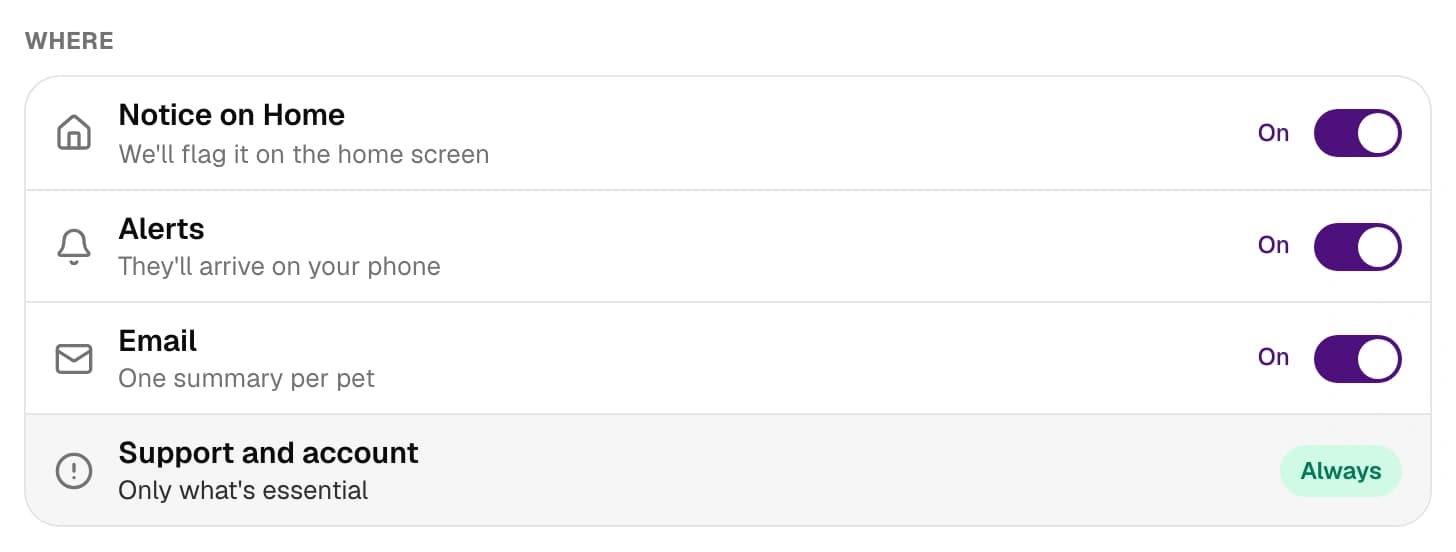
With all three off no health alert arrives, not even overdue ones
This is not a quiet mode: it leaves that pet with no health alerts at all, including what is already overdue. The only thing still arriving is Support and account, which does not switch off. The screen flags it as soon as it happens and offers to switch all three back on.
Still not solved? Write to us