Loading…
What is “Health pending”?
The Health pending panel on your home screen is the short list of what needs attention. You don't build it: it comes from the dates already on file, and a row disappears once you add the record that was missing.
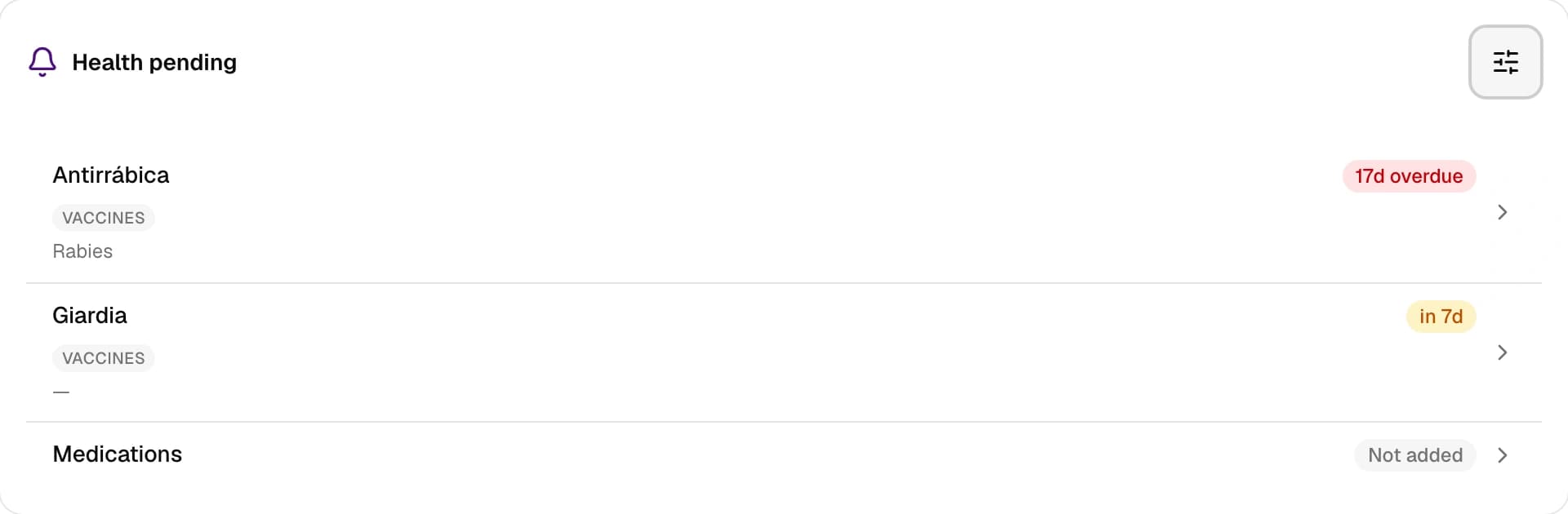
Every row is one pending item, with a chip on the right telling you how long is left — “in 12 d” — or how long it has been overdue — “overdue by 5 d”. Below it you get its category and, where there is one, a line of detail. Tap it and you land on that item.
The Options button opens Customize your to-dos, a filter of nine controls: three categories (Vaccines, Medications and Tests) across three states (Overdue, Due soon and Not added).
Out of the box only Overdue is on, in all three. That is why the panel starts short: it shows what is urgent and nothing else. Turning on Due soon is what brings in what is approaching, and Not added what is still unrecorded. The Reset button returns to that starting point — it does not turn everything on.
That filter only decides what you see. When something starts counting as “due soon” is decided elsewhere: it is the lead time in Notifications, and the same sheet takes you there through Set up notifications.
With nothing left to show, the panel reads Nothing to report 🎉.
An empty panel does not mean nothing is missing
The panel can only speak about what is on file: a vaccine you never recorded cannot come due for the app. That is what Not added flags — one row per empty category, pointing you at filling it in. It ships off, so it is worth turning on at least once.
Still not solved? Write to us